
Yes—wireless RGB keyboards are widely available, and many models offer the same lighting effects and gaming-ready features found on wired boards. You can find compact 60% layouts, tenkeyless (TKL) options, and full-size wireless RGB keyboards with customizable colors, animated effects, and per-key lighting controls depending on the brand and software support.
Most wireless RGB keyboards use either Bluetooth or a 2.4GHz USB dongle. Bluetooth is convenient for pairing with multiple devices (like a laptop, tablet, and phone), while 2.4GHz connections are typically favored for gaming due to lower latency and more stable performance. Some keyboards support both, letting you switch modes based on what you’re doing.
RGB lighting uses more power than single-color backlighting, so battery life depends heavily on brightness and effect intensity. Many keyboards include power-saving features like sleep timers and automatic dimming. If long runtime matters, look for a larger battery capacity, efficient LED modes, and the option to lower brightness or use static lighting instead of animated effects.
Start with the connection type (2.4GHz for competitive play, Bluetooth for flexibility), then consider switch type (mechanical, optical, or low-profile), keycap quality, and whether the keyboard stores lighting profiles onboard. Also check for USB-C charging, the ability to play while charging, and compatibility with your operating system—especially if you want full RGB customization software support.
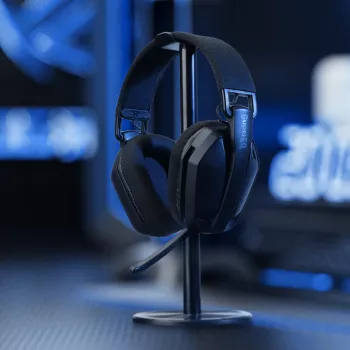
If you’re coordinating an RGB desk setup, pairing a wireless RGB keyboard with similarly capable audio gear can keep your space clean and cable-light. For a helpful reference on wireless performance and battery life in gaming accessories, see this guide: wireless RGB gaming headset with 2.4GHz, USB-C, and long battery life.
With a quality 2.4GHz wireless connection, input lag is typically minimal and hard to notice for most players. Bluetooth can add more latency, so it’s better for everyday typing and casual gaming.






Leave a comment