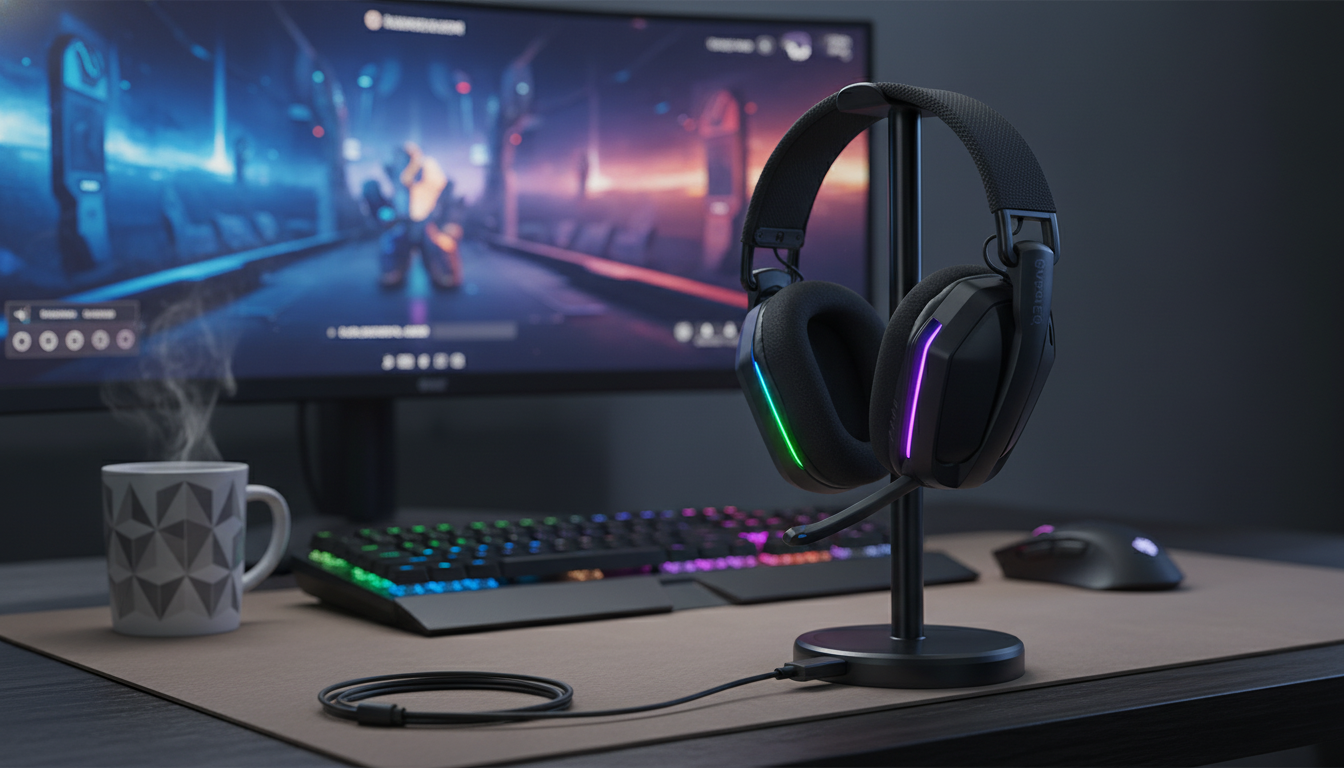
A wireless gaming headset that combines low-latency 2.4GHz play, USB-C charging, and customizable RGB can simplify everyday gaming across PC and compatible consoles—without being tethered to a desk. The key is matching the connection method, comfort, and mic performance to the way gaming sessions actually happen. If the goal is consistent audio in matches, fewer charging interruptions, and quick on-headset control, the right feature mix matters more than flashy specs alone. For more guidance, see CORSAIR VIRTUOSO RGB Wireless SE Headset Review.
| Feature | What it means for gaming |
|---|---|
| 2.4GHz wireless | Typically lower latency than standard Bluetooth for games and voice chat. |
| USB-C charging | Common charging cable type; convenient to share chargers with modern devices. |
| Up to 35-hour battery | Long sessions without frequent recharging (varies by volume, lighting, and mic use). |
| RGB lighting | Visual customization; may reduce battery life when enabled. |
| Over-ear headset design | Aims for comfort and immersion; fit depends on earcup depth and clamp force. |
2.4GHz wireless is a popular choice for gaming headsets because it’s built around stable, low-latency performance. That’s especially noticeable in fast shooters, timing-based games, and any situation where voice chat has to stay in sync with what’s happening on screen. While Bluetooth can be great for a phone or casual listening, it can introduce delay depending on the device and codec support. For further reading, see Corsair HS80 Max Wireless – LanOC Reviews.
Wireless range and consistency aren’t just about the headset—your room setup matters. Walls, a PC tucked under a desk, or a router blasting in the same band can increase dropouts. Keeping the receiver close to your play area (and not blocked behind a metal PC case) can make the connection feel “wired-like.” For more background on how devices operate in this spectrum, see the FCC equipment authorization resources covering common unlicensed bands like 2.4GHz: FCC: 2.4 GHz ISM band overview and equipment authorization.
| Method | Best for | Watch-outs |
|---|---|---|
| 2.4GHz wireless (USB receiver) | Fast-paced games, voice chat, stable connection | Potential interference in busy 2.4GHz environments; receiver compatibility matters. |
| Bluetooth (if available) | Phones, casual listening, travel | Higher latency can impact competitive play; codec/device-dependent. |
| Wired (3.5mm/USB, if available) | Zero battery worries, consistent connection | Cable management; less freedom of movement. |
“Good sound” in games isn’t only about bass—it’s about readability. Footsteps, reload clicks, ability cues, and directional ambience live in the mids and highs. A headset tuned with clean upper detail and controlled bass can make it easier to track movement across a room or distinguish enemies from your own team’s audio clutter.
For competitive play, a balanced signature usually works best: present mids for detail, clear highs for positional cues, and bass that doesn’t swallow everything else. For single-player immersion, a richer low end can make cinematic moments hit harder, especially in open-world games with big soundscapes. If your platform supports EQ, it can be worth slightly trimming bass and boosting presence (upper mids) for shooters, then flipping back to a warmer profile for story-driven sessions.
A gaming mic doesn’t need to sound like a studio condenser to be effective—intelligibility wins. Clear consonants and consistent volume help teammates understand callouts instantly. On-headset controls matter here: a dedicated mute button and an obvious mute indicator reduce accidental open-mic moments in Discord or party chat.
If background noise is part of your setup (mechanical keyboard, fans, roommates), mic placement and settings make a bigger difference than most people expect. Position the mic slightly off-center from your mouth to reduce breath noise, and lower input gain so the mic captures speech rather than the whole room. If your platform offers noise suppression, test it with in-game audio running—over-aggressive suppression can clip words during intense moments.
USB-C charging is a practical upgrade because it fits into modern charging habits—one cable type for more devices. For best long-term battery health, use a standard 5V charger and avoid leaving the headset at 0% for extended periods. USB Type-C design and compliance guidance can be explored through the USB Implementers Forum: USB-IF: USB Type-C resources.
| Need | What to look for |
|---|---|
| Competitive shooters | 2.4GHz wireless, clear mids/highs, easy mic mute |
| All-day use | Comfortable padding, lighter feel, stable clamp force |
| Shared spaces | Clear mic positioning, noise control in system settings |
| Minimal charging | Higher battery rating, USB-C, optional RGB-off mode |
Yes—many brands make wireless gaming keyboards using 2.4GHz receivers or Bluetooth. For competitive play, 2.4GHz models typically feel more responsive and consistent than Bluetooth, while Bluetooth can be handy for multi-device switching.
Yes. Modern wireless gaming mice commonly use 2.4GHz connections with low latency and strong reliability, and many perform on par with wired models. Results depend more on the sensor and wireless implementation than whether the mouse has a cable.





Leave a comment