
Metal laptop stands are generally safe when they’re properly designed and used on a stable surface. In many cases, aluminum and other metal stands can be safer than lightweight plastic options because they resist flexing, wobbling, and heat buildup. The biggest safety risks usually come from poor fit, sharp edges, unstable hinges, or using a stand that doesn’t match your laptop’s size and weight.
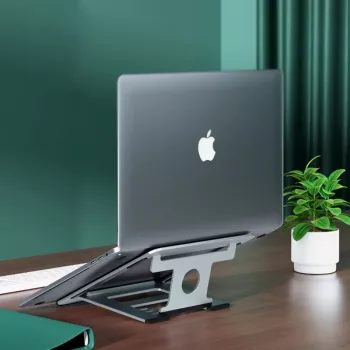
A safe stand keeps your laptop steady during typing, trackpad use, and screen adjustments. Look for a stand with a wide base, non-slip feet, and a stated weight capacity that comfortably exceeds your laptop’s weight. If the stand rocks, slides, or shifts when you type, it’s not a good match.
Rubber or silicone pads on the top ledge and support arms help prevent scratches and stop the laptop from drifting. This matters even more on tilted stands, where gravity can slowly pull the device forward if the grip is weak.
Well-finished metal stands have smooth, rounded edges that won’t snag sleeves, scratch surfaces, or nick cables. For adjustable models, hinges should feel firm and hold their angle without gradually collapsing.
It can, but it’s usually avoidable. Damage tends to come from exposed metal contact points, loose hardware, or a stand that concentrates pressure on a small area of the laptop chassis. Choose a stand with full padding where the laptop rests, and periodically check screws or folding joints for loosening.
Often, yes. Metal stands typically promote airflow by lifting the laptop off the desk, and aluminum can help dissipate heat. Pairing the stand with a position that keeps vents unobstructed is key. For a deeper look at ergonomics, cooling, and stability considerations, visit this aluminum laptop stand guide.
They can if the feet are bare metal or if dirt gets trapped under the pads. Using a stand with rubber feet and keeping the contact points clean greatly reduces the risk.






Leave a comment