
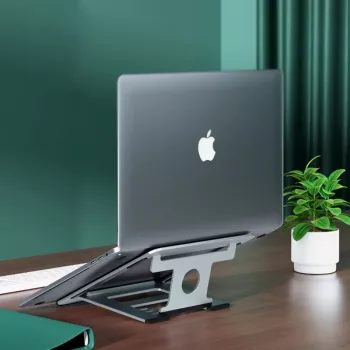
The best material for a laptop stand is usually aluminum because it balances strength, stability, heat management, and long-term durability without adding much bulk. A well-built aluminum stand resists flexing when typing, holds its shape over time, and often includes grippy pads that keep both the stand and laptop from sliding.
Aluminum also helps with cooling. While a stand doesn’t replace a laptop’s internal fans, raising the device improves airflow underneath, and metal can help dissipate heat away from the chassis. That’s especially helpful during long work sessions, video calls, or heavy multitasking where warm surfaces and throttling can become a comfort and performance issue.
Plastic stands can work for light use and travel—particularly if you need something inexpensive and ultra-light. The tradeoff is that many plastic models flex more, wear faster at hinges, and may feel less secure with larger laptops. If choosing plastic, look for reinforced frames, strong locking mechanisms, and wide, non-slip feet.
Steel and other heavier metals can be extremely sturdy, but they’re less common for portable setups and can be overkill unless the stand is meant to stay on a desk permanently. Wood can look great and feel stable, but it typically doesn’t aid heat dissipation as well as metal and may be bulkier.
For a deeper breakdown of stability, ergonomics, and cooling considerations, see the full guide here: Aluminum Laptop Stand Guide: Ergonomics, Cooling & Stability.
Metal (especially aluminum) is usually best for everyday use because it’s more rigid and durable and can help with heat dissipation. Plastic can be a good budget or travel pick if it’s well-reinforced and locks firmly in place.
Yes—raising the laptop can improve airflow and comfort, which may help reduce heat buildup during gaming sessions. For the best results, choose a stable stand that doesn’t wobble and leaves plenty of space under the laptop for ventilation.






Leave a comment